UI design practice
How I approach interface design.
I connect user workflows, visual hierarchy and reusable patterns—illustrated through enterprise product and design-system work.
01 / Understand the work
Before the interface, understand the situation.
The screen is one part of a larger task. I need to understand who is using it, what they are trying to accomplish, and where the existing workflow makes that harder.
Knowing when to adopt a better pattern
Across separate applications, teams were solving similar workflow problems in different ways. We looked for patterns that could work across those applications, while leaving room for the needs of each scenario.
Some teams had more developed dashboards and progressive-disclosure patterns. Their approach to creating and viewing records in slide-ins fit certain scenarios better than ours. We adopted that approach and brought it into our shared Figma libraries and guidelines.
- The need
A reusable way to create and view records across applications.
- The choice
Adopt a pattern another team had developed where it fit the scenario better.
- The shared result
Make the slide-in workflow part of the Figma library and guidelines that other designers could reuse.
02 / Make design decisions
The same system. Different design decisions.
Layout, density and component behavior each shape how an interface feels to use.
Multi Product Integrations
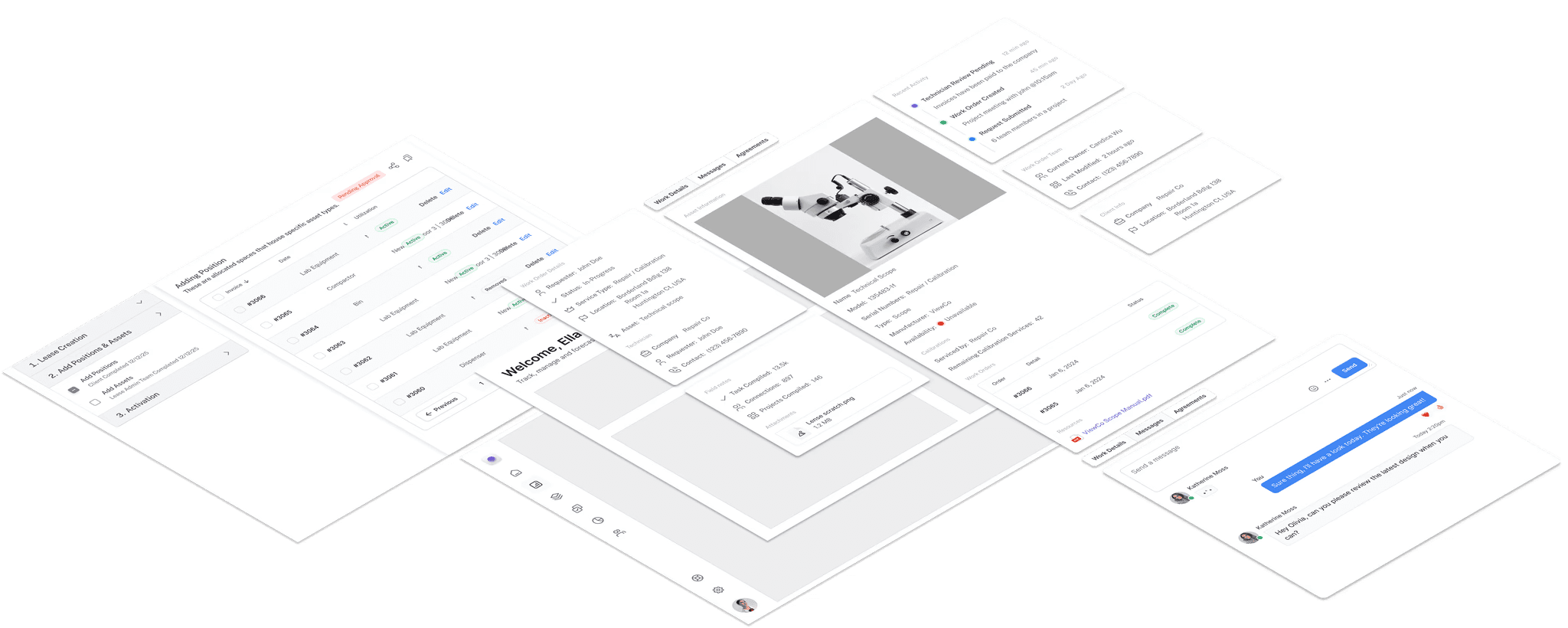
Give complexity a structure people can follow.
A dense work interface needs clear levels of context. Navigation locates the person in the product; the record view supports scanning and selection; detail and activity panels support the work on a selected item.
What the example shows
The exploded layout separates global navigation, the working view and item-level detail. Each layer has a distinct purpose within the same workflow.
Illustrations adapted to protect client details and intellectual property. Reference boards are labeled separately from project work.
03 / Build a shared practice
A design system is also a way of working together.
My pattern work spans several engagements. In one real-estate engagement, I was a primary contributor working with three teammates. We divided the pattern work and iterated together; my contribution focused on workflow patterns and a layout starter for different problem spaces.
I worked with frontend developers to understand feasibility; they implemented the code. The libraries were generally adopted across the projects I worked on, although established teams found adaptation harder. Reuse required collaboration as well as a shared library.
Make recurring decisions explicit
Define recurring decisions: modal or drawer, close-button placement, reading order, and horizontal or vertical label/value layouts.
Work through the tradeoffs
Bring user needs, team priorities and implementation feasibility into the same discussion. A coherent pattern still has to work in its context.
Leave something others can use
Turn recurring decisions into foundations, templates and workflow patterns. Keep feedback open as new situations emerge.